


 Australia








DeeSpin Casino Login: Account Access
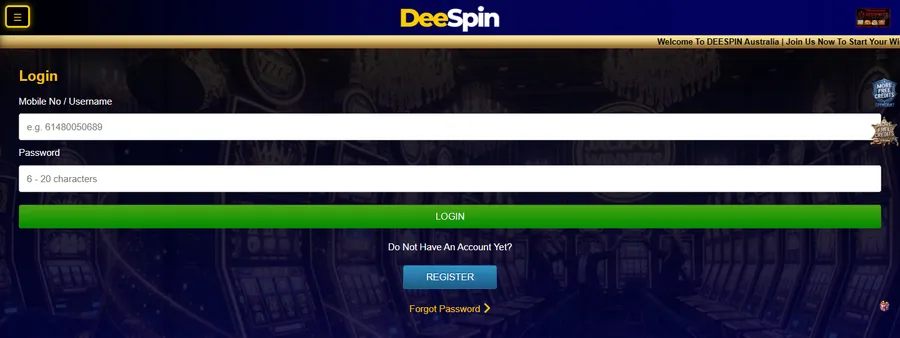
Sign InA phone is often the quickest way in, so we've kept the DeeSpin Casino login short: one field for your mobile number or username, one for your password. Get those right and you have access to your account, the cashier and every promotion within seconds. Below, we explain how to log in on mobile and on a computer, what to do if you're locked out and how to keep your details safe. Stuck at any stage? Our support team answers on live chat 24/7.
DeeSpin Casino Login From Your Phone
We built DeeSpin for the mobile browser, which is why you won't find an app in any store. Whatever phone you carry, the site opens on it and the sign-in button sits waiting.
To log in on a mobile device:
- 1Go to our site on your phone.
- 2Tap Login.
- 3In the top field, enter the mobile number or username tied to your profile.
- 4Add your password underneath and tap Login to finish.
Within a moment you're in the games lobby. Pokies, fishing and card games all run in the same window, so there is nothing extra to install or update.
A couple of mobile habits make life easier. Save the site to your home screen for one-tap entry, and lock your phone with a PIN or fingerprint so nobody else can open your session. If you share a device with family, sign out when you finish – it keeps your account secure.
Signing In on a Computer, Step by Step
The desktop version asks for the same login details as the phone. On a laptop or PC:
- 1Open our site in your usual browser.
- 2Click Login.
- 3Type your phone number or username in the first box and your password in the second.
- 4Click Login again.
Once you've signed in, your AUD balance is visible straight away. From the same screen you can make a deposit, request a withdrawal and look over the promotions on offer, from the daily rebate to your VIP bonus. Your games and rewards are there too, because it's all one profile. On a shared or work computer, log out when you finish and don't let the site store your details – a small habit that keeps your account secure.
First visit? Use the Register link on the sign-in page. Signing up uses your phone number, and what you set there becomes your login details from then on. When the account is ready, your first deposit can start from A$10.
Your DeeSpin Casino login is identical on every computer you use, so there's no separate desktop profile to remember. Laptop battery flat? Your phone gets you in just as quickly. If the desktop page looks different from what you expect, our support team can point you to the right button.
Forgot Your DeeSpin Password?
It happens to everyone. You don't need a new account – just a new password:
- 1Open the sign-in page and select Forgot Password.
- 2Go through the steps shown on screen to confirm the profile is yours.
- 3Choose a new one – ideally a phrase only you would think of – and keep it somewhere private. Write it down only if you can store it away from your phone.
When the reset is finished, head back to the DeeSpin Casino login screen and enter your updated login details. Your balance and VIP level don't change during a reset.
If the steps stall or you no longer use the number on file, message our support team and we'll work through it with you.
Access Problems and Keeping Your DeeSpin Casino Login Safe
When sign-in fails, the cause is usually small. Check these first:
- Look at the number or username for a missing or swapped digit.
- Make sure Caps Lock is off when you type.
- Clear any details your browser filled in automatically and enter them again by hand.
- Switch to a second device or a different network to rule out a local fault.
If none of that helps, reach out to support on live chat, WhatsApp or Telegram, and tell us which number or username you play under.
Protecting your DeeSpin Casino login matters as much as remembering it. Use a password that's unique to us, never send it to anyone and avoid signing in on public computers. Treat any message asking for your details with suspicion, even if it uses our name. Spotted activity you don't recognise? Change your login details at once and let us know – quick action keeps your account and funds secure, and your access back under your control.
Questions About Getting Into Your DeeSpin Account
Can I stay signed in on my phone?
Your mobile browser can remember your details if you allow it. On a shared device, sign out after every visit. On your own phone, a screen lock adds a second layer of protection.
How do I change my password once I'm signed in?
The quickest route is Forgot Password on the sign-in page. Our live chat team can also help if you'd rather change it another way.
Do I use the same details on my phone and computer?
Yes. One DeeSpin Casino login works on every device, with the same games, pokies and AUD balance.
I've forgotten my password – how do I get back in?
Select Forgot Password, follow the steps and sign in with the new one.
Who can help if I can't access my account?
Our support team, 24/7 on live chat, or through WhatsApp and Telegram. Have your number or username ready so we can find your profile fast.
I'm new here – how do I create an account first?
Press Register and sign up with your phone number. After your first deposit, you can play, collect bonus rewards and withdraw winnings in AUD.